
Twilio IVR Builder: Build Call Flows by Drag and Drop
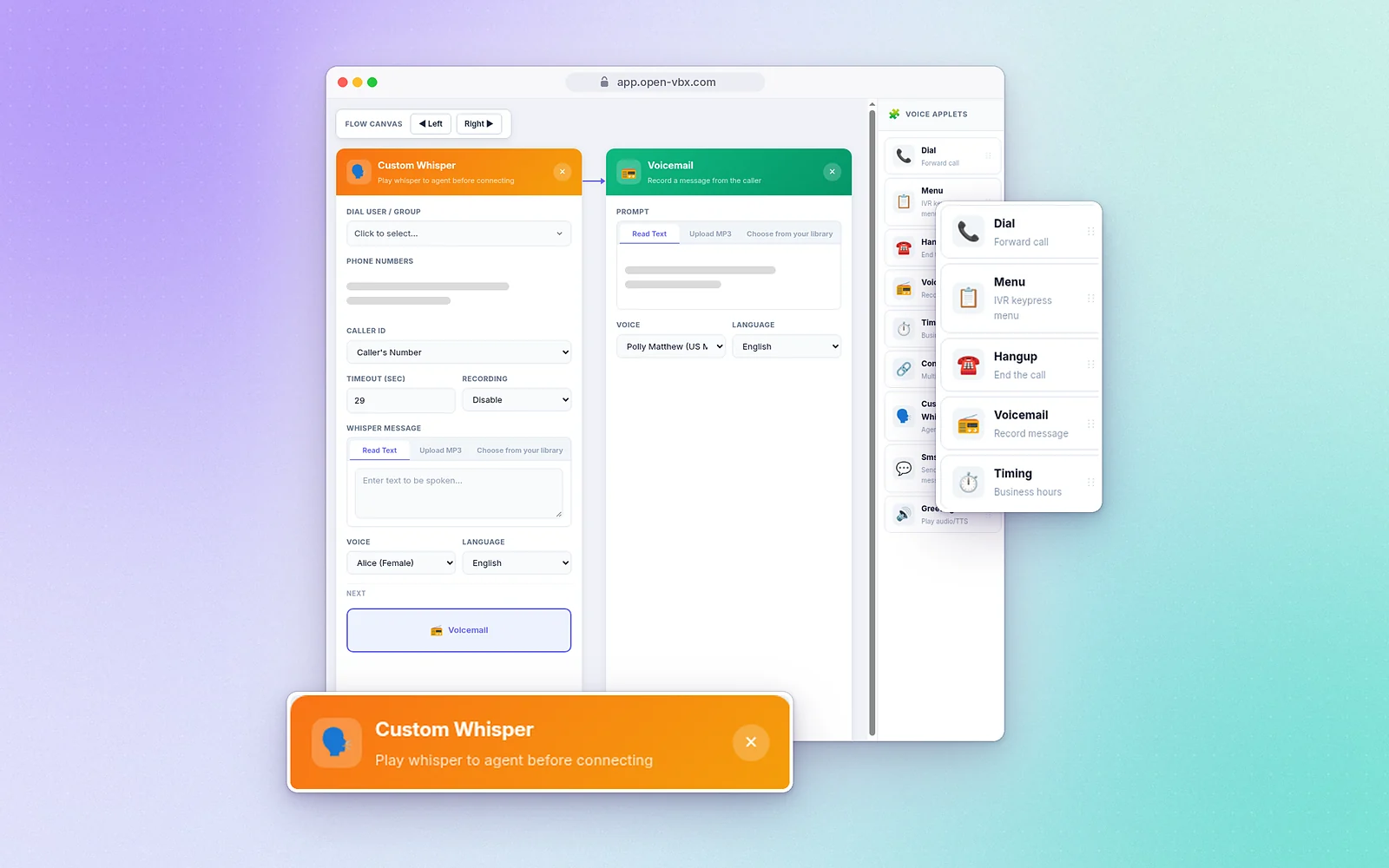
The applets
Greeting
Play a welcome message from an uploaded MP3 or text-to-speech.
Menu
A keypress menu: "Press 1 for Sales, 2 for Support."
Dial
Forward the call to a person, number or team.
Timing
Send calls one way in business hours and another way after hours.
Voicemail
Take a message when nobody answers, with a text-to-speech or uploaded MP3 greeting and transcription.
Conference
Put several people on the same call.
Custom Whisper
Tell the person answering what the call is about before it connects.
SMS
Send the caller a text during the flow.
Hangup
End the call cleanly.
Sound professional in your customers' language
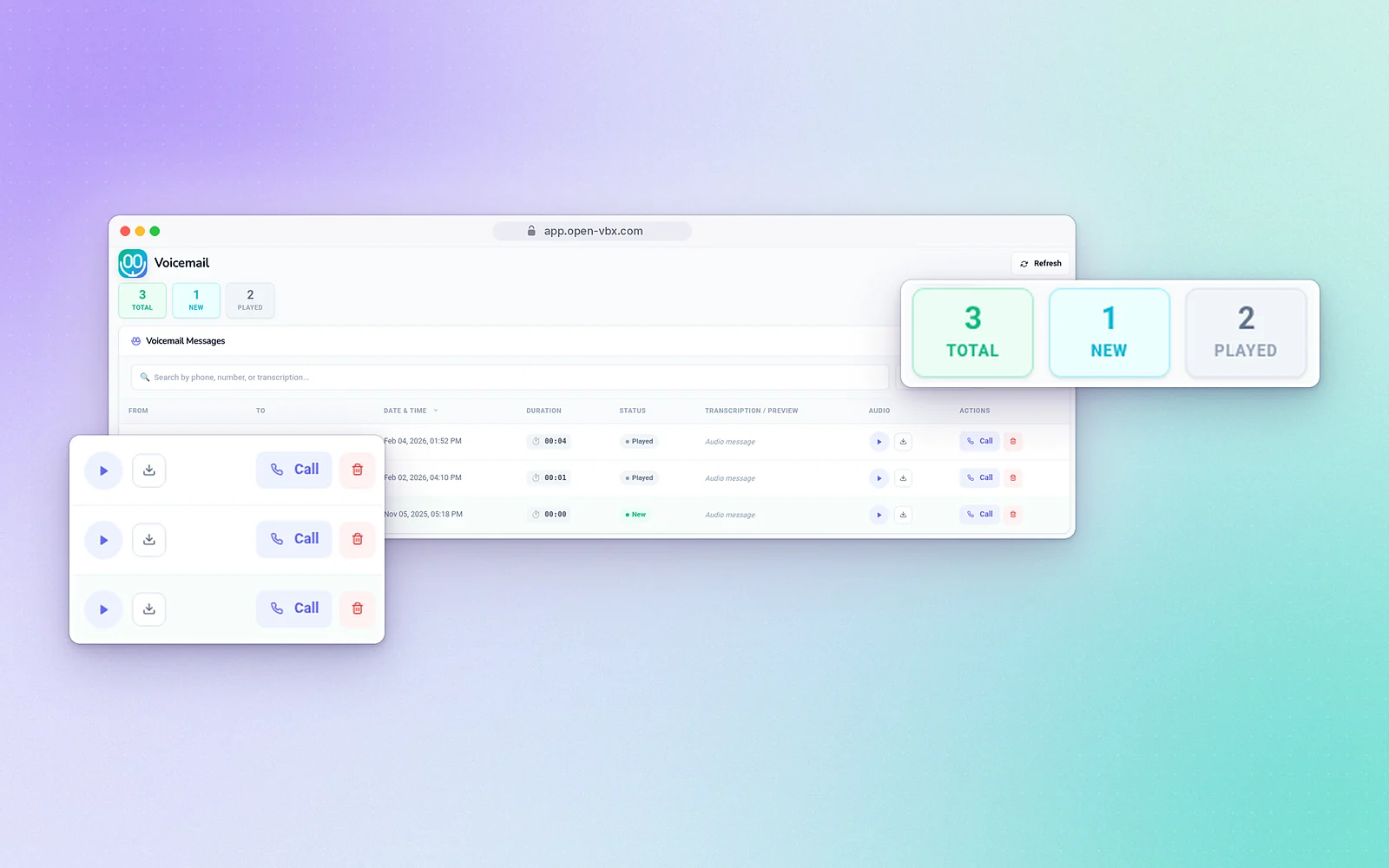
Read your voicemails, don't just listen
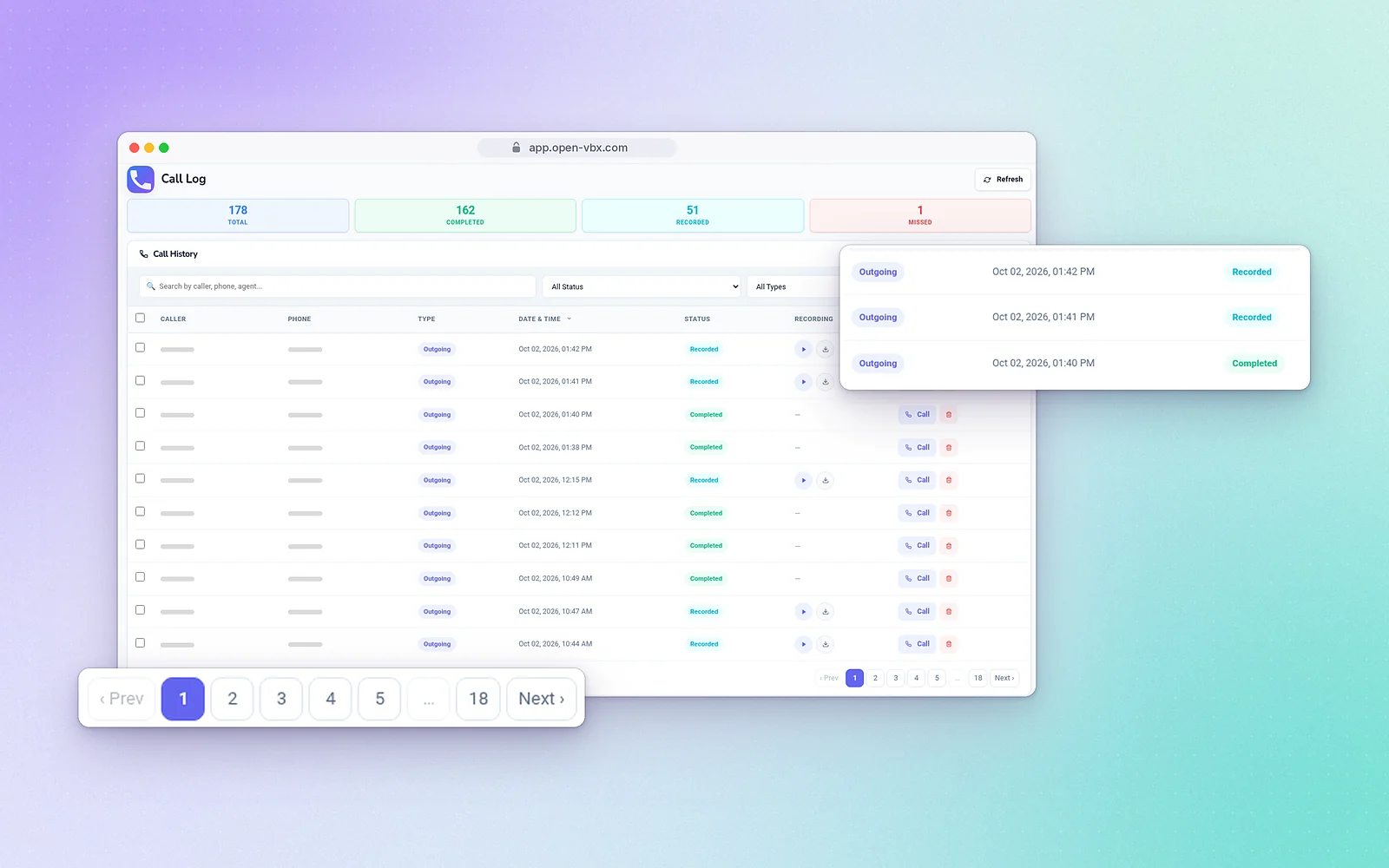
Every call on record
Example flows
Business hours
Timing → open: Dial your team; closed: Greeting with hours, then Voicemail.
Sales and support menu
Greeting → Menu → 1: Dial sales, 2: Dial support, 0: Voicemail.
Missed-call text
Dial → no answer: Voicemail → SMS "Sorry we missed you." Our guide to missed call text back has ten message templates and an after-hours version of this flow.
Multi-level IVR, the visual flow builder, call logs, automatic call recording and visual voicemail with transcription come with every plan, from Connect Starter at $99/month. Dynamic and smart call routing, call whisper, call queues, transfer and conference are included from Command Elite up. See pricing.
Frequently asked questions
The path a call follows: the greeting, the menu options and where each option goes, such as a person, a team, voicemail or a text.
No. You drag applets onto a canvas and connect them.
Yes. The Timing applet checks your business hours and sends calls down a different path when you’re closed.
Yes. It’s available in English, English (UK), Spanish, French, German and Hindi, or you can upload an MP3.
Automatic call recording is included in every plan, and you can choose recording options in your flow.
Every plan. Multi-level IVR and the visual flow builder are included from Connect Starter ($99/month) up.