
Business Texting and Bulk SMS from Your Twilio Number
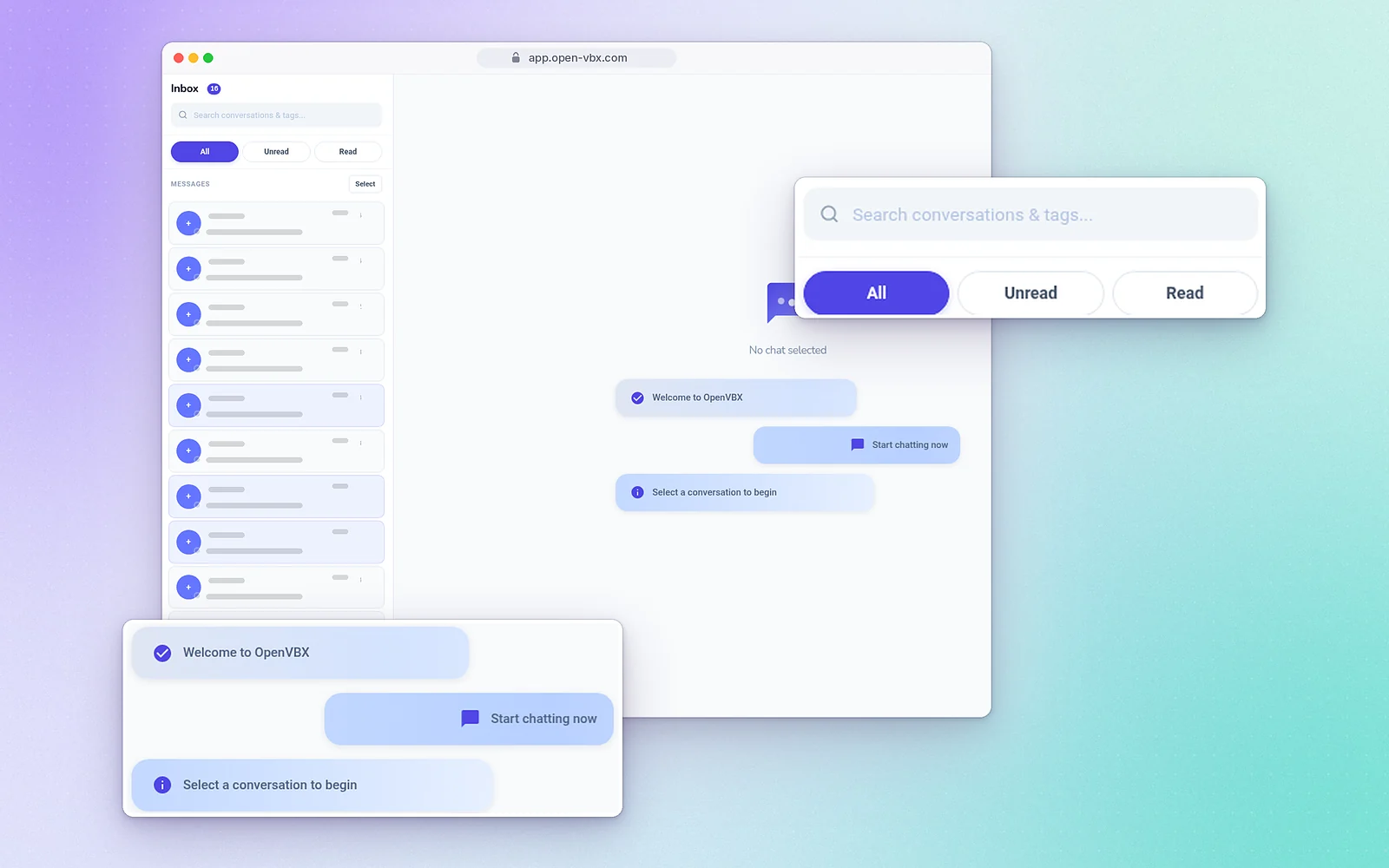
Two-way inbox
Shared inbox
Every text conversation in one place for your team.
SMS and MMS
Send a text or a picture message to one contact.
Templates
Save common replies and reuse them.
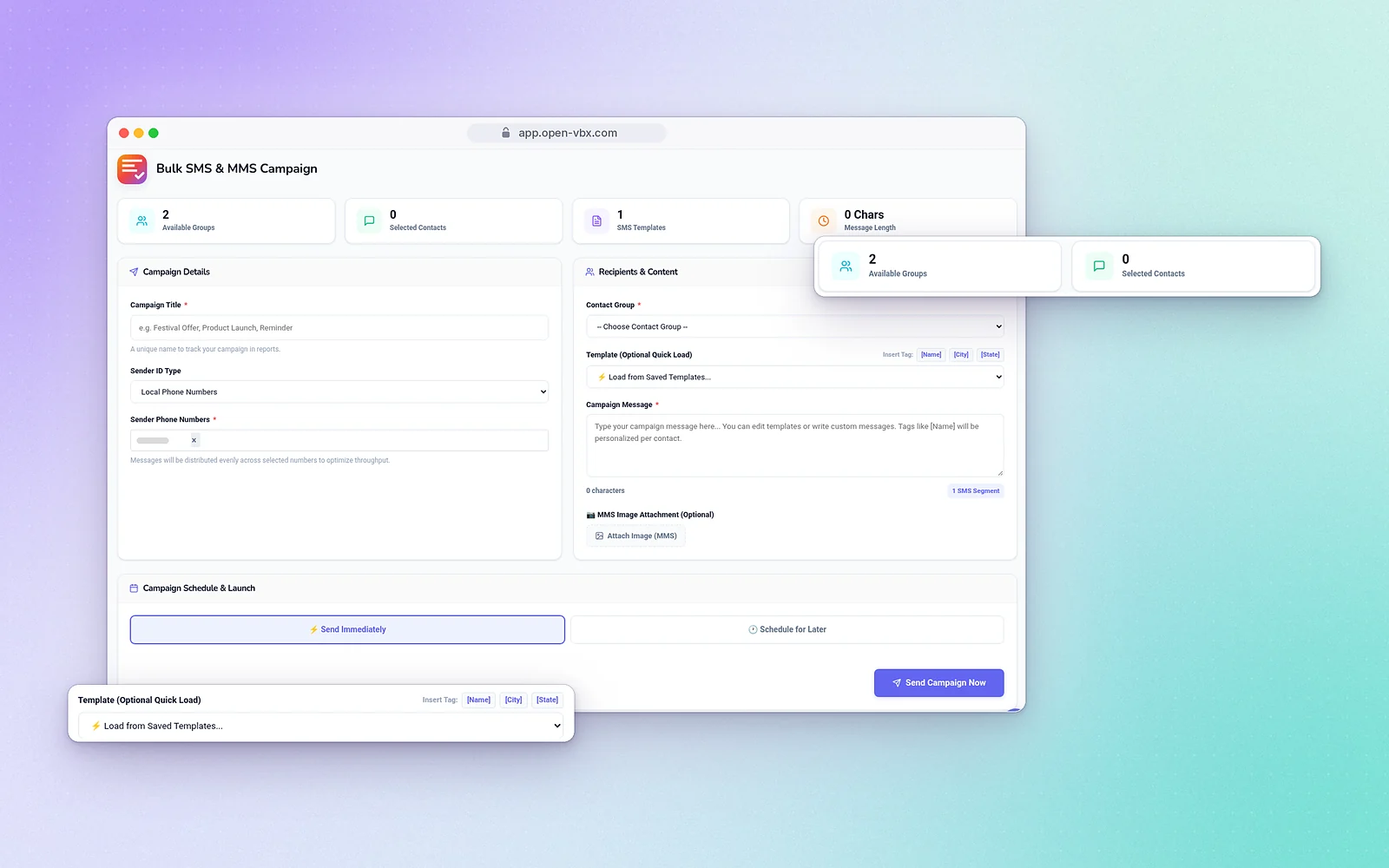
Personalised texts to thousands
Write once with merge tags like [Name], [City] and [State], pick your contact group and schedule the campaign. Campaign reports show delivered and failed messages with carrier error codes.
Drip sequences
Multi-step follow-ups that send on a schedule.
Keyword auto-responses
Reply automatically when someone texts a keyword.
Appointment reminders
Remind customers before their booking.
Birthday messages
Send greetings automatically.
How business texting works in OpenVBX
- Connect your Twilio number. OpenVBX runs on your own Twilio account, so customers text the same number they already call. Twilio bills messages separately from your OpenVBX plan.
- Bring in your contacts. Import a CSV file and sort contacts into groups and tags in the built-in CRM. That lets you message the right people later.
- Reply from the shared inbox. Every conversation shows up in one two-way inbox, and anyone on your team can answer. Save common replies as templates so answers stay quick and consistent.
- Turn on automatic messages. Set up missed-call text-back so a caller you couldn’t answer gets a text right away. Add keyword auto-responses, appointment reminders and drip follow-ups from Automations.
- Send a campaign when you need one. Write a message with merge tags like [Name], pick a contact group and schedule it. Afterwards, check the campaign report for delivered and failed messages.
Business texting for real estate, clinics and loan companies
Real estate teams
Buyers often text before they call. Reply to listing inquiries from the shared inbox, and use templates for common questions. If you miss a call during a viewing, missed-call text-back follows up for you. Drip sequences keep in touch with leads who aren’t ready yet. See OpenVBX for real estate.
Clinics and healthcare practices
Appointment reminders go out before each booking, and patients can text back to the number they already know. Need wording? Use our appointment reminder text templates. The front desk handles every conversation from one inbox, so no message gets lost between shifts. See OpenVBX for clinics.
Loan companies
Text applicants about next steps and missing paperwork from your business number. Templates help your team answer common questions quickly. Drip sequences follow up on applications that have gone quiet. See OpenVBX for loan companies.
Whatever your industry, get consent before sending marketing texts and give people a way to opt out (see “Texting rules” below).
Texting rules
OpenVBX supports A2P 10DLC messaging, and our team handles 10DLC setup on your Twilio account. Always get consent before sending marketing texts, include a way to opt out, and follow the rules in your country. See our business SMS guide and our 10DLC registration guide.
Calls and texts on the same number
Texting works best when it’s tied to your phone system. In OpenVBX, the number on your website handles both calls and texts. Visual call flows route calls, and the same number receives texts in your inbox. Your team can call from the web dialer or the Android app (there is no iOS app), and every contact’s history stays in the CRM. To see how it all fits together, read our guide to a Twilio phone system for small business.
OpenVBX also connects with Google Calendar, Google Meet, Zoom, Microsoft Teams, Gmail, Mailchimp, Brevo and Mailgun.
Frequently asked questions
Yes. Texts arrive in the two-way SMS inbox and your team replies from the same number.
Yes. Use merge tags such as [Name], [City] and [State] in bulk SMS campaigns.
Yes. Bulk SMS campaigns can be scheduled.
Campaign reports show delivered and failed messages, with carrier error codes for failures.
Yes, you can send single SMS and MMS messages.
Bulk SMS campaigns are included in Command Elite ($199/month) and AI Ultimate ($249/month).
Yes. Missed-call text-back is one of the automations. It sends a text to callers you couldn’t answer.
Yes. Texts arrive in a shared two-way inbox, and your team replies from the same business number.
Yes. OpenVBX runs on your own Twilio account, and Twilio bills message usage directly. OpenVBX plans are $99, $149, $199 or $249 a month. Compare plans.
Yes. Every plan has a 7-day free trial, and no credit card is needed.
Our team offers support by email, phone and chat.